 GOBLIXO
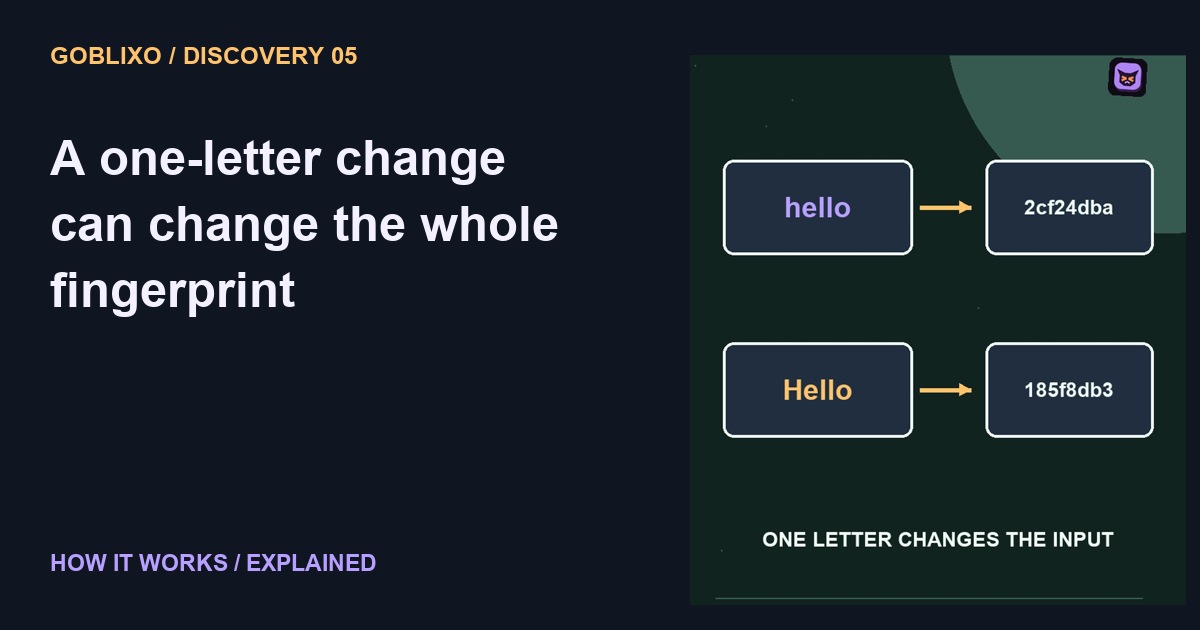
One letter. new fingerprint.
Two files have the same name and look identical at a glance. How could you check whether their contents match? You can compare a digital fingerprint called a cryptographic hash.
Meet the hash
A hash function turns input bytes into a fixed size result. With a function such as SHA two fifty six, changing the input is expected to produce a very different looking digest.
Compare the bytes
Here is the harmless experiment: take a short text file, calculate its digest, change one letter, and calculate again. You are comparing the actual bytes, not trusting the filename or icon.
Where did the hash come from?
But there is a catch. A matching fingerprint only helps when the expected fingerprint comes from a source you trust. An attacker who replaces both the file and the displayed hash can fool that comparison.
Integrity is not safety
A hash is not an antivirus result, an identity card, or a promise that a download is safe. It helps check integrity against an expected value. Those are different questions.
Use the same algorithm
Use the same algorithm for both sides, and the exact intended file. Even a change in line endings can change the bytes. A mismatch is a reason to investigate, not proof of a particular attacker.
Try the idea carefully
For the sample, preserve both versions and record the algorithm alongside each digest. Do not compare a SHA-256 value with a value produced by a different algorithm. A 64-character hexadecimal SHA-256 digest encodes 256 bits; its length does not increase with the size of the input file. Cryptographic collisions are possible in principle, so a digest is not a mathematical proof that no distinct input could ever share it.